A hack that’s been at the back of my mind ever since my post on performance comparison between two Rust geospatial libraries was to augment hyperfine with a text-based user interface (TUI) to better visualize the ongoing benchmarking in the terminal. Tl;dr on hyperfine: It’s a command-line tool that allows you to benchmark, primarily the runtime, of commands at the terminal. It is feature-rich, and I highly recommend it as the first tool to reach for if you’re measuring the runtime of programs - from ad hoc measurements all the way to productionized continuous-integration systems.
If you read my performance comparison study, you’ll see that I drew plots to visualize the benchmark data, especially geared towards comparing the two programs under study. I found myself wishing for these two features in hyperfine:
- Interleaved execution of commands to reduce systemic error from environment drift over time. This is a common request from hyperfine and the maintainer expects this to be available in the future.
- A way to visualize the benchmark results in the terminal while the benchmark is executing. hyperfine already includes flags to dump benchmark data as structured results and post-processing scripts to visualize the data as plots. But it is oh-so-satisfying to see the benchmark results come hot off the oven!
Here’s my quick hack to scratch the second itch:
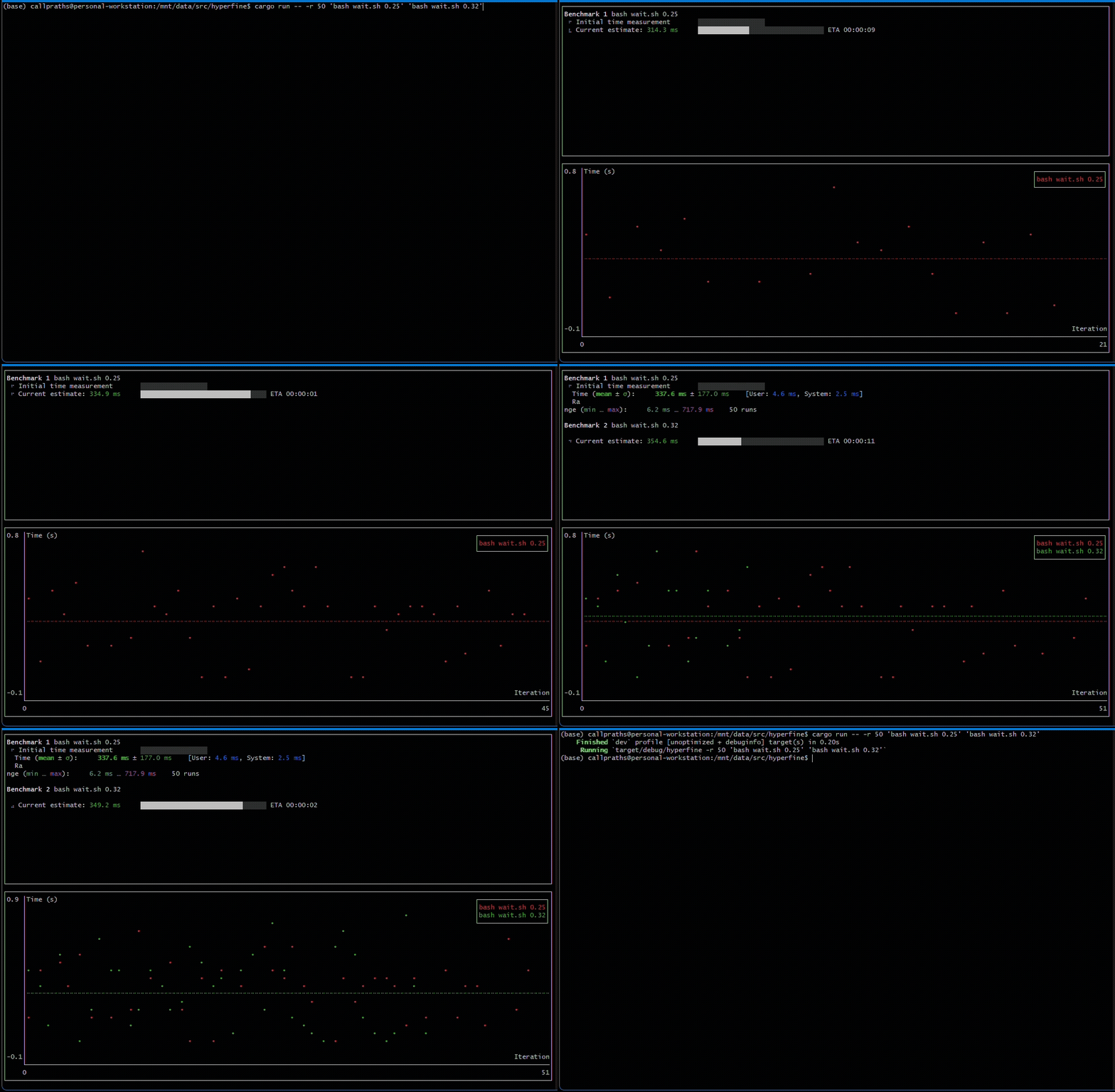
Beware that this is a toy, not intended to be an RFC for hyperfine inclusion. I don’t think this feature belongs in hyperfine, at least quite in this way, for a few reasons:
- Low impact: Benchmarking tends to be either really quick (a few seconds) or really long (several hours). For the former, post-processing reported data is sufficient to get quick feedback, and for the latter, I really hope nobody sits staring at the terminal for individual data points to pop in.
- Implementation complexity: My hack added several complications to the tool implementation that are really not worth the value. At least some of this complexity will be hard to avoid in a real implementation.
Let’s take a quick look at the challenges / fun stuff I got to tackle:
- I built the TUI using ratatui. In applications built with ratatui, one thread must be chosen as the thread that updates the user interface on each rendering pass. This UI thread must not be blocked for any slow operations so as to avoid janky screen updates (this is a very common requirement for all UI frameworks). Since hyperfine does not have a UI to speak of, it keeps things simple (yay!) by staying single-threaded. The commands being benchmarked are launched in their own process, but hyperfine process has a single thread. To add a UI layer, I had to use a background thread for hyperfine’s heavy-lifting to free up the UI thread.
- Related to the minimal UI design of hyperfine, it currently uses the console and indicatif crates to update the terminal. These crates’ interactions with the terminal don’t play very well with ratatui’s. So I had to write some bridging code to continue to render hyperfine’s standard output to a ratatui block in the UI. This glue code works, but is definitely FHL quality 😉
- Also, hyperfine currently directly writes to the console, both via
print!-style macros and via the crates above. I had to add a layer of indirection to be able to redirect that output to the appropriate part of the UI.
- Also, hyperfine currently directly writes to the console, both via
For a look under the hood, see this abanandoned pull request.
A note on the use of LLMs: I used Google’s Antigravity IDE with the Gemini suite of models to aid in this hack. First, I used it to summarize the architecture of the repo so I could onboard quickly. I did not use LLMs when setting up the basic approach: process management & first-pass implementation. I then relied heavily on LLMs for refactoring and addition of small features, mostly vibe-coding these small additions. I find this method of leveraging LLMs to be very effective - it makes sure that I’m in the driving seat and learning a lot while also providing a multiplier on the execution velocity.
Well, that was fun! A natural next step here for me is to find ways to truly contribute back to hyperfine now that I’m comfortable with its inner workings ☺️